

Erste Fahrt mit Getmancar Carsharing: Checkliste für Anfänger
Inhaltsverzeichnis
Was ist Carsharing eigentlich? Ganz einfach: Ein Autovermietungsservice für kurze Zeiträume, bei dem Sie nur für die tatsächliche Nutzungsdauer zahlen. Stellen Sie sich ein Taxi vor, nur dass Sie selbst am Steuer sitzen und minutengenau oder nach Wunschtarif abgerechnet wird. Getmancar Carsharing macht's möglich – Sie mieten ein Auto bequem per App, ohne langwierige Verträge oder Bürobesuche.
Was Sie vor der ersten Fahrt brauchen
Bevor Sie mit Carsharing loslegen können, müssen Sie sich bei Getmancar registrieren und einige Dokumente bereithalten. Der Prozess dauert je nach Verifizierungsgeschwindigkeit zwischen wenigen Minuten und 24 Stunden.
Grundvoraussetzungen:
- Mindestalter – in der Regel 21 Jahre (kann je nach Region variieren)
- Führerschein – gültig mit Mindestfahrerfahrung (üblicherweise 1-2 Jahre)
- Ausweisdokumente – Reisepass oder Personalausweis zur Identitätsprüfung
- Bankkarte – für die Bezahlung der Fahrten und Kautionssperrung
Nach dem Hochladen von Ausweis, Führerschein und Selfie in der App prüft das System Ihre Dokumente. Das dauert normalerweise bis zu 24 Stunden, in den meisten Fällen erfolgt die Freigabe aber deutlich schneller.
Bei der Registrierung hinterlegen Sie automatisch Ihre Bankkarte – von dieser werden die Fahrtkosten abgebucht und vor jeder Anmietung die Kaution geblockt.
Wie Sie ein Auto in der Getmancar-App buchen
Wie funktioniert Getmancar? Alles läuft über die mobile App – von der Fahrzeugauswahl bis zum Fahrtende. Schauen wir uns Schritt für Schritt an, wie Sie ein Auto bei Getmancar buchen.
Öffnen Sie die App und wechseln Sie zur Karte mit den verfügbaren Fahrzeugen. Sie sehen nur freie Autos, die sofort buchbar sind. Auf der Karte ist bei jedem Fahrzeug die Getriebeart angegeben: „A" steht für Automatik, „M" für Schaltgetriebe.
Informationen in der Fahrzeugkarte:
- Marke und Modell
- Kennzeichen
- Genauer Standort
- Aktueller Tankstand (falls der Tank leer wird, erfahren Sie hier, wie Sie ein Carsharing-Auto tanken)
- Verfügbare Tarife mit Preisen
Um die Entfernung zum Auto einzuschätzen, tippen Sie auf „Route berechnen" – die App zeigt Ihnen Kilometer und geschätzte Fahrzeit an. Möchten Sie ein bestimmtes Auto später nutzen? Fügen Sie es den Favoriten hinzu, indem Sie auf das Herzsymbol tippen.
| Tarif | Wann lohnt sich das? | Was ist enthalten? |
|---|---|---|
Minutentarif | Kurze Fahrten bis 1-2 Stunden | Bezahlung pro Minute + Kilometerkosten + Fahrzeugentsperrung |
Stundentarif | Mehrstündige Fahrten innerhalb der Stadt | Festpreis pro Stunde mit inkludierten Kilometern, Zwischenstopps sind kostenfrei |
Für Anmietungen ab einem Tag oder länger bietet Getmancar den Wechsel zur klassischen Langzeitmiete mit günstigeren Tagesraten an. Das ist dann kein Carsharing mehr, sondern eine herkömmliche Autovermietung mit anderen Konditionen.
Nachdem Sie den passenden Tarif gewählt haben, tippen Sie auf „Buchen". Das System bietet Ihnen an, eine Vollkaskoversicherung für zusätzlichen Schutz hinzuzufügen – Sie können diese aktivieren oder mit der Standardabdeckung fortfahren. Nach der Buchung haben Sie eine kostenlose Wartezeit (meist 10-15 Minuten), um zum Auto zu gelangen und Ihre Getmancar-Fahrt zu starten.
Wie Sie die Fahrt beginnen

Nachdem Sie Ihr Getmancar-Auto gebucht haben, haben Sie kostenlose Zeit (normalerweise 10-15 Minuten), um es zu erreichen. Öffnen Sie die App und folgen Sie der Navigation zum ausgewählten Fahrzeug.
Wenn Sie am Parkplatz ankommen, tippen Sie in der App auf „Öffnen". Finden Sie das Auto nicht unter den anderen geparkten Fahrzeugen? Nutzen Sie die „Blinken"-Funktion – das Fahrzeug gibt ein Ton- oder Lichtsignal ab, damit Sie es schnell entdecken.
Bevor Sie sich ans Steuer setzen, fordert das System eine Selfie-Verifizierung an. Die KI prüft Ihre Identität durch Abgleich des Fotos mit Ihren Dokumenten – so wird sichergestellt, dass nur der Kontoinhaber das Fahrzeug fährt. Carsharing für Anfänger mag kompliziert wirken, aber die App führt Sie Schritt für Schritt durch jeden Vorgang.
Checkliste für die Fahrzeuginspektion: Was Sie vor Fahrtantritt prüfen sollten
Zunächst haben Sie 5 kostenfreie Minuten für die Fahrzeuginspektion. Nutzen Sie diese Zeit effektiv, um den Zustand des Autos zu dokumentieren.
Außeninspektion der Karosserie:
- Prüfen Sie die Karosserie gründlich auf Kratzer, Dellen und Lackschäden
- Kontrollieren Sie Scheiben, Scheinwerfer und Spiegel auf Risse oder Beschädigungen
- Überprüfen Sie den Zustand der Reifen – Reifendruck, keine Schnitte oder Beulen
- Stellen Sie sicher, dass die Kennzeichen vorhanden und lesbar sind
Innenraumprüfung:
- Bewerten Sie Sauberkeit und Zustand der Sitze und des Armaturenbretts
- Vergewissern Sie sich, dass alle nötigen Dokumente über die App abrufbar sind (Fahrzeugschein, Versicherung)
- Testen Sie die wichtigsten Systeme – Klimaanlage, Beleuchtung
Nutzen Sie unbedingt das Übergabeprotokoll in der App – machen Sie mindestens 4 Fotos aus verschiedenen Blickwinkeln (vorne, hinten, seitlich). Das schützt Sie vor Ansprüchen wegen Schäden, die bereits vor Ihrer Fahrt bestanden.
Falls Sie beim Rundgang Probleme feststellen, tippen Sie in der App auf „Bewerten" und fügen Sie alle Anmerkungen hinzu. Die Fotodokumentation über die App ist Pflicht – selbst wenn Ihnen Schäden entgehen, erkennt das System sie auf Ihren Fotos.
Motor starten und losfahren:
In der kalten Jahreszeit steht Ihnen die kostenlose „Vorwärmen"-Funktion zur Verfügung, die 5 Minuten läuft. Damit können Sie den Motor starten und das Auto von Schnee oder Eis befreien, bevor Sie losfahren.
Nach Abschluss der Inspektion und Fotodokumentation starten Sie den Motor und tippen auf „Fahren". Während der Fahrt zeigt der Zähler zwei wichtige Parameter: die gefahrenen Kilometer und die aktuellen Mietkosten. So behalten Sie Ihre Ausgaben in Echtzeit im Blick.
Müssen Sie das Auto während der Nutzung parken, schalten Sie den Motor aus, schließen Sie die Fenster und tippen auf „Parken". Das Auto verriegelt sich und wartet nur auf Sie – dieser Modus ist bei Minutentarifen kostenpflichtig, bei Stundentarifen sind Parkpausen bereits im Preis enthalten.
Wie Sie das Carsharing beenden
Die Fahrt können Sie nur in Rückgabezonen beenden – das sind die dunkel markierten Bereiche auf der App-Karte. Parken Sie das Fahrzeug verkehrsgerecht und gehen Sie wie folgt vor. Beachten Sie, dass einige Zonen kostenpflichtig sein können – Details zu Parkregeln finden Sie im Artikel Kostenpflichtige Zonen beim Carsharing.
Schrittweise Beendigung:
- Motor ausschalten und Handbremse anziehen
- Alle Fenster schließen
- Beleuchtung ausschalten
- Fahrzeug verlassen
- In der App auf „Beenden" tippen
Nach dem Tippen auf den Button verriegelt sich das Auto automatisch, die Miete stoppt und auf dem Bildschirm erscheint der Gesamtbetrag für Ihre Fahrt. Jetzt wissen Sie genau, was Carsharing kostet – die Endabrechnung enthält alle Kosten für den gewählten Tarif.
Pflichtdokumentation: Machen Sie mindestens 4 Fotos des Autos aus verschiedenen Winkeln nach Fahrtende. Das ist Ihr Beweis, in welchem Zustand Sie das Fahrzeug zurückgelassen haben, und schützt Sie, falls das Auto nach Ihrer Anmietung beschädigt wird.
Nach Abschluss können Sie eine Bewertung zur Fahrt abgeben – das ist optional, hilft aber die Servicequalität zu verbessern. Außerdem können Sie Ihr Fahrergebnis in sozialen Netzwerken teilen.
Bereit für die erste Fahrt?
Jetzt kennen Sie alle wichtigen Details zur Nutzung von Getmancar und sind bereit für Ihre erste eigenständige Fahrt. Laden Sie die Getmancar-App auf Ihr Smartphone – verfügbar im App Store für iOS und bei Google Play für Android.
Neue Nutzer erhalten bei der Erstregistrierung Boni, die Sie für Ihre ersten Fahrten einlösen können. Schließen Sie die Verifizierung vorab ab, damit Sie nicht warten müssen, wenn Sie dringend ein Auto brauchen.
Carsharing ist bequem, wirtschaftlich und unkompliziert. Folgen Sie unserer Checkliste, dokumentieren Sie den Fahrzeugzustand mit Fotos – und Ihre Fahrten werden komfortabel und sicher verlaufen!


Ähnliche Artikel
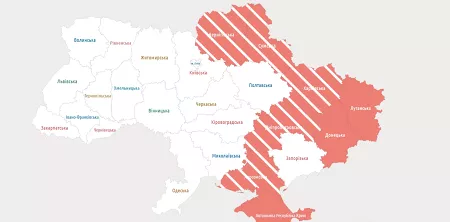
Verhalten bei einem Luftangriff auf der Straße: Tipps für Autofahrer
Praktische Ratschläge für Autofahrer: Wie verhält man sich bei Fliegeralarm in der Ukraine, wo kann man anhalten und wie bleibt man sicher auf der Straße?
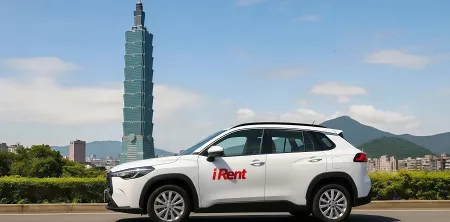
Carsharing in Taiwan
Entdecken Sie den taiwanischen Carsharing-Markt – wichtige Zahlen, führende Anbieter, lokale Herausforderungen und eine Prognose bis 2029. Erfahren Sie, wie sich geteilte Mobilität in Asien entwickelt

Parken in Kiew
Was kostet das Parken in Kiew? Zonen, Regeln, Wochenenden und Bußgelder – kurz und verständlich im Getmancar-Blog erklärt